Introduction
We’ve all been there: you start with a quick bash script, and before you know it, you need arguments, parsing, proper error handling, structured functions, and logging with levels. Maybe something like the following:
#!/bin/bash

# Basic log: Always prints to stderr (standard for logs)
log() {
    echo "[$(date +'%Y-%m-%dT%H:%M:%S')] INFO: $1" >&2
}

# Level log: Only prints if VERBOSE is true
logL() {
    if [[ "$VERBOSE" == "true" ]]; then
        echo "[$(date +'%Y-%m-%dT%H:%M:%S')] DEBUG: $1" >&2
    fi
}

parse() {
    local file_path="$1"

    if [[ ! -f "$file_path" ]]; then
        echo "Error: File not found" >&2
        return 1
    fi

    # jq parses the file and ensures it's valid JSON
    # We use '.' to simply validate and output the raw JSON
    messages=$(jq -c '.' "$file_path" 2>/dev/null)

    if [[ $? -ne 0 ]]; then
        echo "Error: Invalid JSON" >&2
        return 1
    fi

    echo "$messages"
}

function main() {
    # Default values
    NAME="World"
    FILE_PATH="data.json"
    VERBOSE="false"

    # Argument Parsing
    # n: means -n expects an argument, v has no colon so it's a boolean flag
    while getopts "n:f:v" opt; do
        case $opt in
            n) NAME="$OPTARG" ;;
            f) FILE_PATH="$OPTARG" ;;
            v) VERBOSE="true" ;;
            *) echo "Usage: $0 [-n name] [-f file_path] [-v]" >&2; exit 1 ;;
        esac
    done

    # Execution logic
    logL "Initializing script with NAME=$NAME"
    log "Hello, $NAME!"

    msgs=$(parse "$FILE_PATH")
    if [[ $? -ne 0 ]]; then
        log "Failed to parse JSON file."
        exit 1
    fi
}

# Execute main with all passed arguments
main "$@"
This is still ok as a baseline, but once you start using more functions with parameters and return types, you reach certain limits. In this post I want to share some alternatives that have become very handy for me and I do not want to miss anymore.
Let’s dive in 🎉
The Problem
For me, it always starts getting messy when:
- I need to excessively use
sed,jqoryq - Things start to get a bit too much with
ifandelse - I have to parse and handle all the return types and function parameters
Don’t get me wrong, with bash I can solve most of my daily routines and tasks. It was always my first choice.
I used modern-unix tools, made scripts pretty with gum. But not everyone has those binaries installed. And yes, testing… I never used tools like bats-core, but whenever I’d need to write tests for a bash script, that would be the clear sign to switch to a higher-level language.
To condense it, in my opinion what you actually need in common scripts is:
- agreed tools everyone has installed in their machine (best via
brew, which also works for linux and WSL2, hence Windows) - parameters and a parser for arguments
- structure functions
- proper logging (with levels)
- parsing of standard data structures, such as
json,yamlandcsv - web requests
- later tests if complexity rises
So let me show you some possible solutions that helped me and have now become my defaults.
The Solutions
The answer is to switch to a higher-level language. Here are my choices:
Python
As of 2025/2026, uv (written in Rust) has become the preferred replacement for older tools like pip, venv, and poetry.
First install: brew install uv. For uv add a special metadata block at the top of a single .py file as follows:
# /// script
# dependencies = ["argparse", "logging", "json"]
# ///
import argparse
import logging
import json

def parse(file_path):
    try:
        with open(file_path, 'r') as file:
            # json.load handles the file stream directly
            messages = json.load(file)
            return messages
    except (FileNotFoundError, json.JSONDecodeError) as e:
        print(f"Error: {e}")
        return None

# 1. Argument Parsing
parser = argparse.ArgumentParser()
parser.add_argument("-n", "--name", default="World", help="The name to greet")
parser.add_argument("-v", "--verbose", action="store_true", help="Enable debug logs")
parser.add_argument("-f", "--file", default="test.json", help="Path to the JSON file to parse")
args = parser.parse_args()

# 2. Logging Setup
log_level = logging.DEBUG if args.verbose else logging.INFO
logging.basicConfig(level=log_level, format="%(asctime)s %(levelname)s: %(message)s")

# 3. Execution
logging.debug(f"Script started with name: {args.name}")
logging.info(f"Hello {args.name}")

messages = parse(args.file)
if messages is not None:
    logging.info(f"Parsed messages: {messages}")
Hence run it via
uv run example.py
and it automatically creates a temporary environment, installs the needed libraries, and executes the script.
In general for python
For “Stand-alone” Tools: Use
pipxIf you want to use a Python-based tool (likeblack,yt-dlp, orhttpie) as if it were a regular system command,pipxis the gold standard.- How it works:
pipxcreates a dedicated, isolated virtual environment for every application you install and automatically adds the executable to your PATH. - The Benefit: You can install 50 different tools without their dependencies ever seeing or interfering with each other.
- Command:
pipx install <package_name>
- How it works:
For Project Isolation: Virtual Environments (venv) If you don’t want to use third-party tools like uv, use the built-in venv module. This is the “classic” way to keep dependencies inside a specific folder.
- Install:
brew install venv - Create:
python -m venv .venv - Activate: source
.venv/bin/activate - Install:
pip install -r requirements.txt
- Install:
All other, use
uv, which mentioned above already.
Comparing those results in:
| Tool | Best Use Case | “Pollution” Risk |
|---|---|---|
| System Pip | Never use for scripts | High (Can break OS tools) |
| pipx | CLI tools you use globally | Zero (Isolated apps) |
| uv | Modern, fast script/project mgmt | Zero (Ephemeral/Local) |
| venv | Standard project isolation | Zero (Folder-specific) |
Python is great, but you still don’t have the full type safety. Which is why, next is Golang.
Golang
Golang provides out of the box
- parsing command line flags
- structured logs
json, andcsvparsing- subprocess if you need to call a binary
- testing
- file io, compression, encryption and more in a comprehensive standard library.
Install: brew install go
which is currently:
go version
go version go1.25.5 darwin/arm64
Thanks to the comment in the gist we now have a working shebang.
Let’s take the example we used throughout this post:
/// 2>/dev/null; exec go run "$0" "$@"

package main

import (
	"encoding/json"
	"flag"
	"log/slog"
	"os"
)

// you can use tools such as https://transform.tools/json-to-go
type Message struct {
	Role    string `json:"role"`
	Content string `json:"content"`
	Date    string `json:"date"`
}

func Parse(filePath string) ([]Message, error) {
	file, err := os.Open(filePath)
	if err != nil {
		return nil, err
	}
	defer file.Close()
	jsonParser := json.NewDecoder(file)
	var messages []Message
	if err := jsonParser.Decode(&messages); err != nil {
		return nil, err
	}
	return messages, nil
}

func main() {
	// 1. Argument Parsing
	name := flag.String("name", "World", "The name to greet")
	verbose := flag.Bool("verbose", false, "Enable debug logs")
	file := flag.String("file", "test.json", "Path to the JSON file")
	flag.Parse()

	// 2. Logging Setup
	level := slog.LevelInfo
	if *verbose {
		level = slog.LevelDebug
	}
	logger := slog.New(slog.NewTextHandler(os.Stdout, &slog.HandlerOptions{Level: level}))

	// 3. Execution
	logger.Debug("Script started", "name", *name)
	logger.Info("Greeting sent", "output", "Hello "+*name)

	messages, err := Parse(*file)
	if err != nil {
		logger.Error("Failed to parse messages", "error", err)
		return
	}
	for idx, msg := range messages {
		logger.Info("Parsed message", "index", idx, "role", msg.Role, "content", msg.Content, "date", msg.Date)
	}
}
This you can now run in 2 ways
# 1: with go run
go run example.go -name Test -file test.json -verbose

# 2 or via shebang:
bash example.go -name Test -file test.json -verbose
If you want add tests you need to initialize the the module, which then comes closer to a separate program with proper structure
go mod init example.test
With the content of test.json as follows
[
    {
        "role": "user",
        "content": "Hello, how are you?",
        "date": "2024-06-15T10:00:00Z"
    }
]
you can now test it via
package main

import "testing"

func TestParse(t *testing.T) {
	filePath := "test.json"
	messages, err := Parse(filePath)
	if err != nil {
		t.Fatalf("Expected no error, got %v", err)
	}
	if len(messages) != 1 {
		t.Fatalf("Expected 1 message, got %d", len(messages))
	}
	expectedContent := "Hello, how are you?"
	if messages[0].Content != expectedContent {
		t.Errorf("Expected content %q, got %q", expectedContent, messages[0].Content)
	}
}
That’s for Golang. If you want another example, take a look at mdtree.
Let’s move on to Node.js.
Node.js
Nodejs in 2026 still follows the philosophy of a lean core and vast ecosystem.
While Go includes almost everything in one “standard library” (stdlib) to ensure consistency, Node.js provides the
infrastructure for these tasks, occasionally requiring you to write a few lines of “glue” code or reach for a tiny
package if your needs are complex.
Plain Node.js
Install: brew install node@24 which is the current LTS version as of writing.
We take the example from above and transform it into javascript:
#!/usr/bin/env node

import { parseArgs } from 'node:util';
import { readFile } from 'node:fs/promises';

async function parse(filePath) {
    try {
        const data = await readFile(filePath, 'utf8');
        // JSON.parse converts the string into a JavaScript Array/Object
        const messages = JSON.parse(data);
        return messages;
    } catch (err) {
        console.error(`Error: ${err.message}`);
        throw err;
    }
}

async function main() {
    // 1. Argument Parsing
    const options = {
        name: { type: 'string', short: 'n', default: 'World' },
        verbose: { type: 'boolean', short: 'v' }
    };
    const { values } = parseArgs({ options });

    // 2. Logging Logic
    const log = (level, msg, meta = {}) => {
    if (level === 'DEBUG' && !values.verbose) return;
        const timestamp = new Date().toISOString();
        console.log(`[${timestamp}] ${level}: ${msg}`, Object.keys(meta).length ? meta : "");
    };

    // 3. Execution
    log('DEBUG', 'Script started', { name: values.name });
    log('INFO', `Hello ${values.name}`);

    const messages = await parse('tmp/test.json');
    if (messages) {
        log('INFO', `Parsed messages: ${JSON.stringify(messages)}`);
    }
}

main().catch(err => {
  console.error(`Error: ${err.message}`);
  process.exit(1);
});
and run via node ./example.js
As you can see node brings certain tools already by default, as part of the engine. Which is very handy.
However, if you will consider javascript as your scripting language, which you might already been using
in the frontend and backend, there might be another alternative for you: zx.
Using zx
zx is “A tool for writing better scripts” from Google. See the GitHub repository of zx.
Install: brew install zx node@24
Now let’s transform the example to zx:
#!/usr/bin/env zx

// zx provides 'fs' and 'path' globally.
// It also provides 'chalk' for colored output and 'argv' for argument parsing.

async function parse(filePath) {
  // 1. Check if file exists using zx's global fs
  if (!await fs.pathExists(filePath)) {
    throw new Error(`File not found: ${filePath}`);
  }

  // 2. Read and Parse JSON
  // zx includes 'fs-extra' methods like readJson
  try {
    const messages = await fs.readJson(filePath);
    return messages;
  } catch (err) {
    throw new Error(`Failed to parse JSON: ${err.message}`);
  }
}

async function main() {
  // zx parses flags into the 'argv' object automatically
  // Example: node script.mjs --file=data.json --verbose
  const filePath = argv.file || 'data.json';
  const isVerbose = argv.verbose || false;

  // Logging with colors (using global chalk)
  if (isVerbose) console.log(chalk.blue(`[DEBUG] Opening ${filePath}...`));

  try {
    const messages = await parse(filePath);

    console.log(chalk.green(`Successfully parsed ${messages.length} messages:`));

    messages.forEach(msg => {
      console.log(`${chalk.yellow(`[${msg.role}]`)} (${msg.date}): ${msg.content}`);
    });

  } catch (err) {
    console.error(chalk.red(err.message));
    process.exit(1);
  }
}

await main();
and you run it via
zx example.mjs --file test.json --verbose
In zx, you don’t need to manually import fs or parseArgs for basic tasks because they are bundled into the global
scope. It also provides the $ command for running subprocesses as if you were in a terminal as we can see
in the official example
#!/usr/bin/env zx

await $`cat package.json | grep name`

const branch = await $`git branch --show-current`
await $`dep deploy --branch=${branch}`

await Promise.all([
  $`sleep 1; echo 1`,
  $`sleep 2; echo 2`,
  $`sleep 3; echo 3`,
])

const name = 'foo bar'
await $`mkdir /tmp/${name}`
zx could be the “middle ground”:
Gois fantastic for building the binary tool itself.Bashis fantastic for the literal command string.zxis the choice when you want the logic of a real programming language (Node.js) but need to orchestrate other CLI tools frequently.
Conclusion
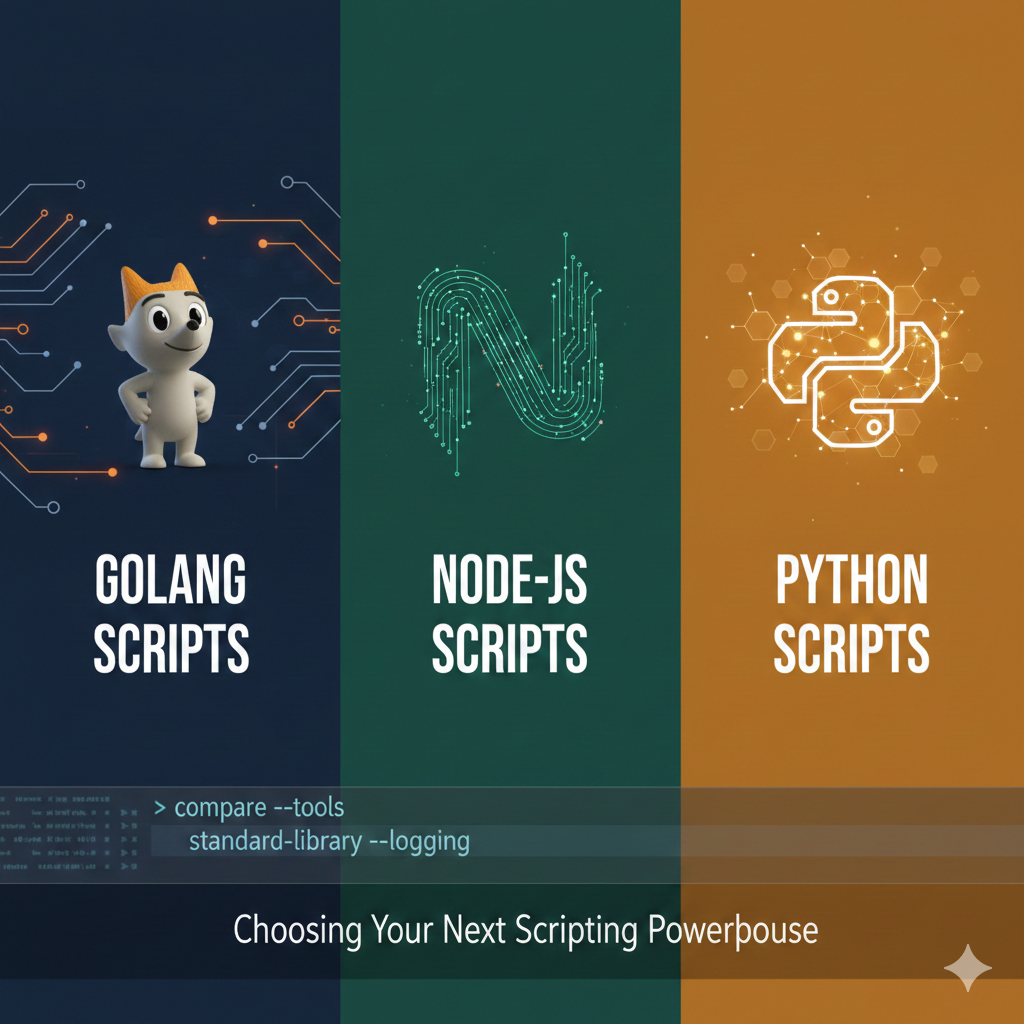
In this post, I’ve compared three alternatives to bash scripting: Python, Golang, and Node.js.
My rule of thumb for switching to a higher-level language is simple: when I need to pipe json or yaml data into other functions, or when I need to extensively use sed to format data, it’s time to level up.
What impressed me over time is how much cleaner the try/catch error handling becomes in these languages compared to bash’s exit codes and conditional checks.
Which language you choose depends on the project and how familiar your team is with each option.
Here are my takes:
| If your project… | Use Bash | Use Python | Use Node.js / zx | Use Go |
|---|---|---|---|---|
| Is < 50 lines of glue code | Best | Good | Overkill | Overkill |
| Needs to run on any Linux server | Best | Risky (v2 vs v3) | No (needs Node) | Best (Static) |
| Heavily uses grep, sed, awk | Best | Harder | Good (via zx) | Tedious |
| Processes complex JSON/APIs | Painful | Best | Best | Excellent |
| Needs high-speed concurrency | No | Average | Great | Best |
| Requires a professional CLI UI | Poor | Excellent | Good | Excellent |
| Will be maintained by a team | Poor | Great | Great | Best |
- Go: Best for performance and creating standalone binaries that have zero dependencies. Use it for infrastructure tools.
- Node.js/zx: Best if your script needs to integrate with web APIs or frontend build tools. Use it if your team is already JavaScript-heavy.
- Python: Best for data processing or when you need a “perfect” CLI experience (auto-generated help menus) with the least amount of code.
Me personally, I do most of my scripting in Golang due to the advantages mentioned above ❤️
I hope this helps you make better decisions about when to graduate from bash to something more powerful. Happy scripting!
Like what you read? You can hire me 💻, book a meeting 📆 or drop me a message to see which services may help you 👇